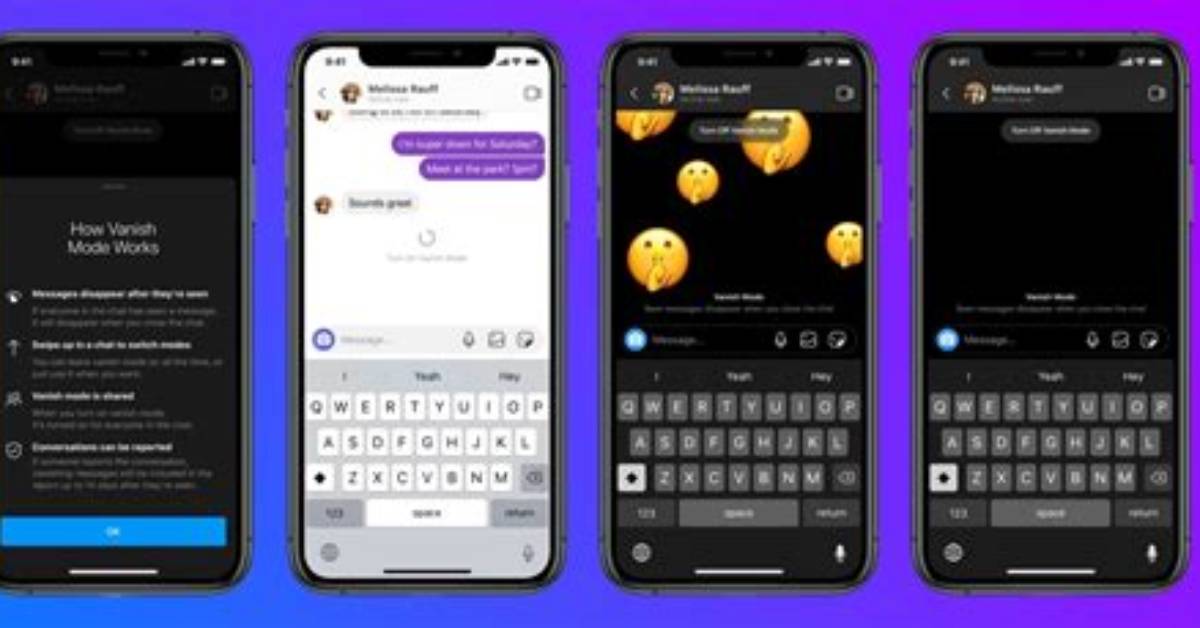
According to Facebook, the steps to send a vanish mode message are relatively simple, and the company confirms that they do disappear. The instructions say, "When you send a message in a secret conversation, you can also set a timer to have your message disappear from the conversation. Your message will disappear in the amount of time you choose after the other person sees the message."
The first step is to open Messenger and tap the icon in the top right corner that looks like a pad of paper and a pen. From there, make sure to select the word "secret" which can be found in the top right-corner.
After that, select the person that you want to send the vanish mode message to by scrolling to find the name. Click on the name and type out your message, and from there, select the timer icon that's to the left side of the text box.
Choose the length of time you wish to have your message viewable for. It's always a good idea to double check that you've got the intended person selected for your message — and then send your message. The lowest time that you can set the message to disappear for is five seconds and the maximum can be set to one day, or 24 hours.
The message disappears for the sender at the length of time selected. For the person receiving the message, the time countdown starts when they open the app and see the message.

