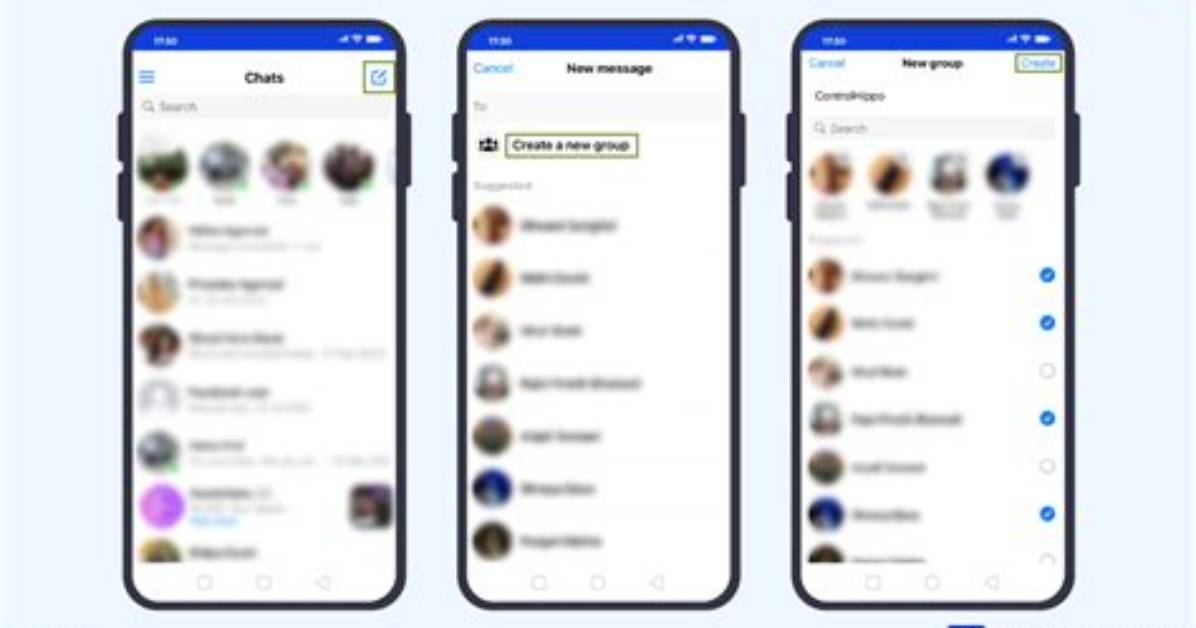
- Sign in to the Facebook messenger app by entering your account information. For some reason, there is no way to send messages from the actual Facebook app, so you have to use the official Messenger app from Facebook. However, messages sent via Messenger can be seen in the Messenger app as well as on Facebook’s website.
- Click the button which says "New message". If you use an Android device, click the "+" button and tap "Write message". If you have an iOS device, tap on the "New message" (it looks like a sheet of paper with a pencil).
- Add your friend to the chat by simply entering the name of the person you would like to add to the chat. When you start typing a name, different option will appear right below, simply click the right ones to them to the chat.
- If you add more than one friend, you automatically create a group chat. After adding the first friend to the chat, just keep entering the names of the other people until you have added all the people you want.
How to Create a Facebook Group Chat?
•
•
5 min read